Free browser-based image tools
Work with images without complicated software.
Convert common formats, reduce file size, resize pictures, and understand which format fits your workflow.

Convert common formats, reduce file size, resize pictures, and understand which format fits your workflow.
Start with what you want to accomplish, then open the tool or guide that matches it.
Useful tools for common photo and web-image tasks.
Turn iPhone photos into widely supported JPEG images.
Open tool →HEIC → PNGCreate PNG copies when lossless output is useful.
Open tool →HEIC → WebPCreate a web-friendly copy from HEIC or HEIF.
Open tool →JPG → WebPConvert JPG images to a modern web format.
Open tool →SIZE → ↓Reduce image file size with browser-side encoding.
Open tool →PX → ↗Change image dimensions while keeping proportions.
Open tool →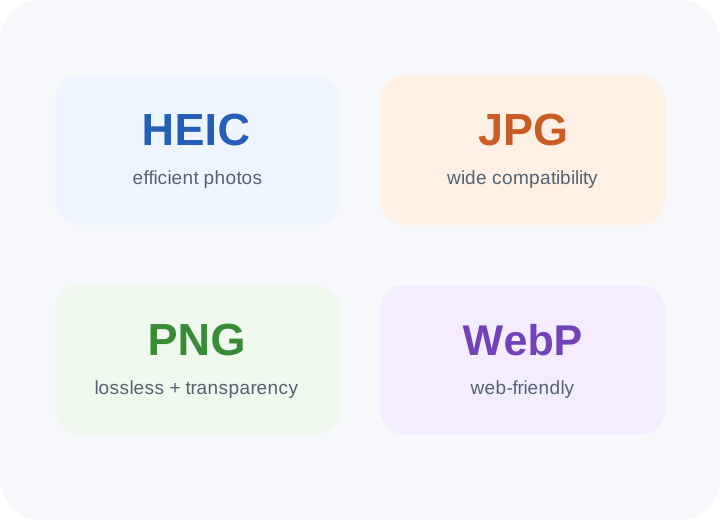
HEIC can be efficient for photos, JPG is broadly compatible, PNG is useful for lossless graphics and transparency, and WebP is a practical modern web format.
Practical guides give context to the tools and help you choose an appropriate output.
Why Apple uses it and when conversion helps.
Read guide →Compare compatibility, size and practical sharing.
Read guide →Understand dimensions, quality and file size.
Read guide →Learn why these tasks change different things.
Read guide →Prepare practical attachment copies.
Read guide →Choose between two common web formats.
Read guide →The site is built for small image jobs that otherwise require a separate desktop application. Each tool explains the input, output and important limitations.